|
Model Testing
|   |
|
Model Testing
| |
This dialog can be called from the Main Dialog by pressing the "Test Model" button. The window allows the user to "push" the model around in 1-D or 2-D space in one plot (Top Left), and watch the 2-D force interaction in another plot (Top Right), as well as the hysteretic curves in both directions in two separate plots (Bottom). The plots are updated whenever the mouse moves when the "real time" checkbox is on. If the "real time" checkbox is off, the user can click on a location on the plot and a straight path is followed from the last point to the new point, and the chart waits for the next click.
This tool allows the user to test the response of the various hysteretic models, understanding all the loading/unloading rules of each model, and simulating detailed monotonic and cyclic loading histories directly.
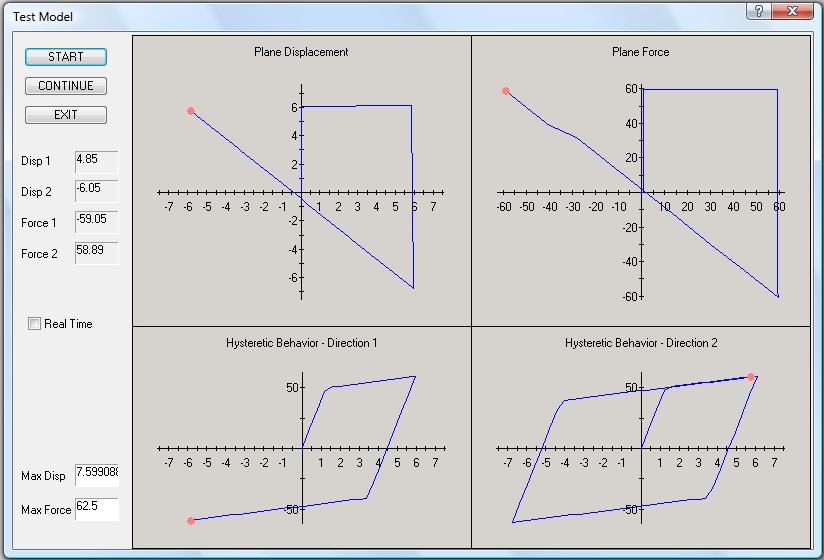
Figure 3: Model Testing Dialog