|
Ground Motion Suite Dialog
|   |
|
Ground Motion Suite Dialog
| |
The Ground Motion Suite Dialog is a powerful tool that allows the user to define a record for use with single dynamic analysis, and to define a suite of one or more records for use in spectral analysis, and save those records so they can be retrieved at any time without going through the selection of individual records again.
The dialog is comprised of two major sections for defining the default couple for use in single dynamic analysis, or a suite of records for use in paramteric spectral analysis.
Default Ground Motion Couple (Top Section)
The top section of the dialog shows the current default earthquake couple (two components) to be used in a single analysis, the couple can be specified or changed by reading one or two new earthquake components using the Earthquake Dialog. The user can interact with this section by:


Ground Motion Suite (Bottom Section)
The bottom section shows the current "Ground Motion Suite", which is a suite (list) of ground motions couples that can be edited with ground motions added or removed. Depending on the Bispec edition being used, a large number of records can be added to each suite, allowing the user to easily conduct parameteric studies of 10's, 100's, or even 1000's of ground motion records (See "Feature Comparison" section). Suite records can be added, deleted, or edited by using different buttons:
 ) can be used to add new couples using the Ground Motion Dialog.
 ) can be used to remove the currently selected couples from the suite list. ) can be used to edit the selected couple using the Ground Motion Dialog.). Errors might include missing files, or files with unrecognizable formats. ) can be used to update the Default Ground Motion Couple (see above section) by copying the currently selected couple in the "Ground Motion Suite". ).
 ) allows the user to change the folder path for all records in the suite simultaneously. Individual records can always be edited and modifed by using the "Edit Current Couple" button ( ).
Information about the current suite can be modified through a number of text fields:
A main feature of the Ground Motion Suite feature is that suites can be saved to the hard disk, and can be re-opened and accessed at any later time. Different suites can be constructed and saved for later use. When more than one ground motion couple is included in a suite, spectra are computed individually for each couple, and the mean and standard deviation and other statistics of the whole suite are also computed. See the sections on Linear and Nonlinear spectral snalysis.
|
|
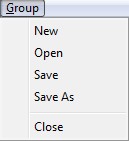
Ground motion suites can be created, opened and saved from the "File" menu located at the top left of the Ground Motion Suite Dialog. When saving earthquake suites, only information about the ground motion files are saved, in addition to other information on how the record is scaled, the units used, etc. This means that whenever the suite file is opened and is to be used, the earthquake record files should be present. Bispec saves both the file name and its path. When the suite is later opened, Bispec first looks at the original path to find the file, if the file is not found on the given path, Bispec looks in the directory from which it was started. If the file is not found is either location, Bispec cannot load that record, and the file must be relocated, or deleted from the suite. |
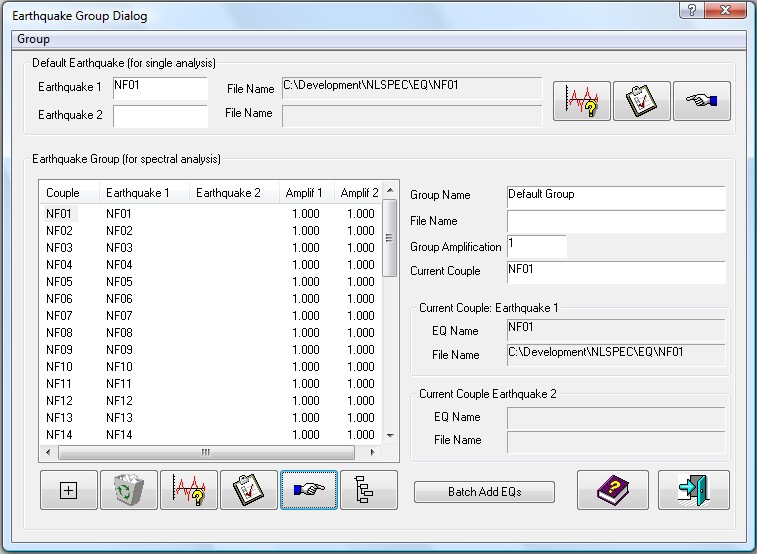
Figure 4: Ground Motion Suite Dialog